

MacBook Pro Screen Problems: Stage Light, Flexgate, Lines & Backlight
Stage light effect, a MacBook Pro screen that goes black when you open the lid wider, lines, or no backlight? Here is what causes it and how it is fixed.
Read More »
November 27, 2026 · Laptop Repair
Quick answer
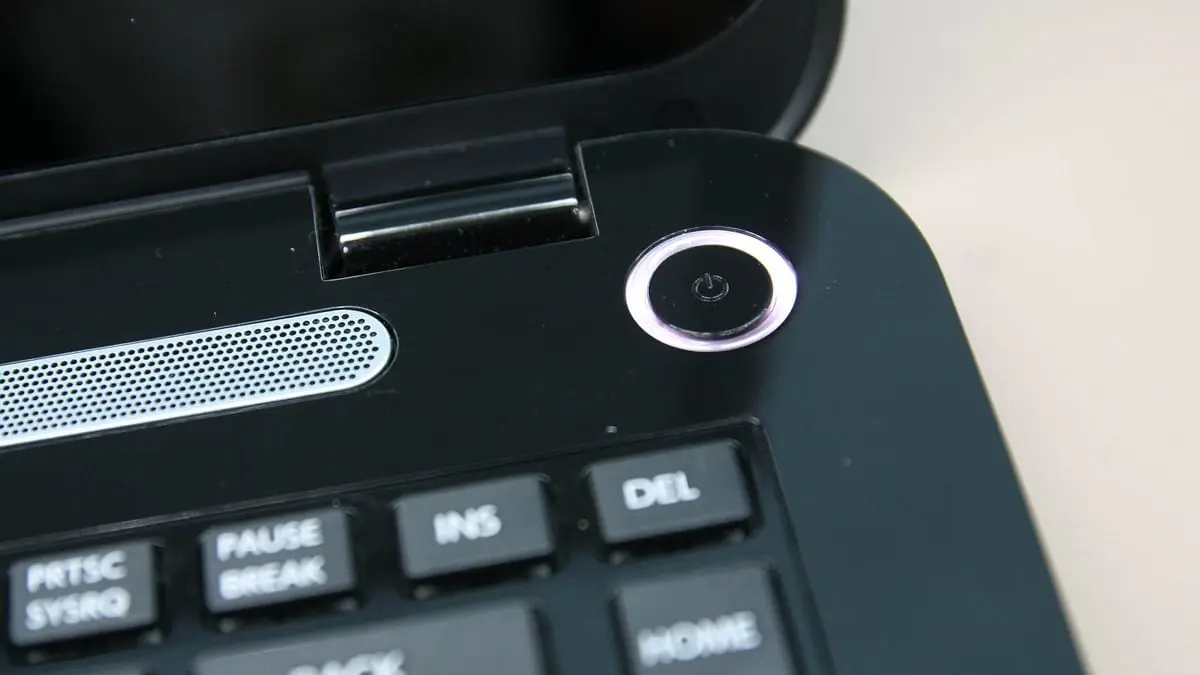
If a laptop will not turn on but the charging light is on, leave it on its original charger for 30 minutes, then hold the power button for 30 to 60 seconds to reset it. Check whether it is actually on with a black screen. If it still will not start, it usually needs a battery, charger port, memory or motherboard repair.
A charging light means power is reaching the laptop, but not that the laptop can start. The good news: many laptops that “won't turn on” are fixed with a reset, and your files are usually safe even when it needs a repair.
The most common causes are a fully drained or worn-out battery, a charger that lights up but does not deliver enough power, a laptop stuck in a frozen sleep state, or a screen that is black while the laptop is actually running. Less often it is the power button, loose memory, or a fault on the motherboard, often after a spill.
Here is each step in more detail.
A deeply drained battery may need a while before the laptop can start. Use the charger that came with it, plugged into a wall outlet. A weaker phone or USB-C charger can light the charging LED without giving the laptop enough power to boot.
Unplug the charger and hold the power button for 30 to 60 seconds. If the battery can be removed, take it out first. Then plug the charger back in and press power once. This clears a frozen power state. ASUS recommends holding the button for 40 seconds.
Listen for the fan, look for keyboard or Caps Lock lights, and press Caps Lock to see if its light changes. If the laptop seems to be running, connect it to a TV or monitor. If the picture shows there, the laptop works and the problem is the screen or its cable.
A faulty USB drive, dock or SD card can stop some laptops from starting. Remove them all and try again with only the charger plugged in.
A blinking power or battery light is often an error code. HP, Dell, Lenovo and ASUS use different blink patterns for a dead battery, a memory problem or a board fault. Count the blinks and look the pattern up for your model, or tell us when you call.
On a MacBook with Apple silicon, hold the power button for 10 seconds, release it, then press it again. On an Intel MacBook, reset the SMC: hold Shift, Control, Option and the power button together for 10 seconds. If the Mac makes a sound but the screen stays dark, see our guide to MacBook Pro screen and backlight problems.
A drop, a spilled drink or a hot car changes what needs to be fixed. After a spill, do not keep trying to turn it on. If the trackpad is pushed up or the case is bulging, the battery may be swollen: unplug it and bring it in.
If none of these steps work, the laptop usually needs one of these: a new battery, a charging port or charger repair, memory reseated or replaced, or a board-level repair of the power circuit. At ART & FIX we diagnose laptops and MacBooks for free and give you the price before any work begins. See the most common laptop problems we fix and our computer and laptop repair service. Phone won't start either? Read what to do when a phone won't turn on.
Usually not. On most Windows laptops the drive is separate and can be read even if the laptop is dead. On newer MacBooks the storage is on the board, so repairing the board is how the data is saved.
The laptop may be running with a dead screen or backlight. Connect it to a TV or monitor: if the picture shows there, the screen or its cable needs repair.
Often, yes. It is usually the battery, charger port, memory or a power circuit on the board. ART & FIX checks it for free and gives you an estimate first.
ART & FIX repairs phones, tablets, laptops, and computers at 1034 W. 18th Street, Merced, CA 95340. We are open every day, 8:00 AM – 8:00 PM, and every repair comes with a 30-day repair warranty.
Call or text (209) 446-7200 before you come, or send us your device model and problem for a free estimate.
Stage light effect, a MacBook Pro screen that goes black when you open the lid wider, lines, or no backlight? Here is what causes it and how it is fixed.
Read More »From cracked screens to dead batteries and laptops that won't start, here are the laptop problems we fix most in Merced and what to expect.
Read More »A cracked screen or a dying battery does not mean you need a new laptop. Here is how to tell what is wrong and what a repair involves.
Read More »